在VSCode中连接Docker环境并调试基于Makefile的项目
约 377 个字 • 56 行代码
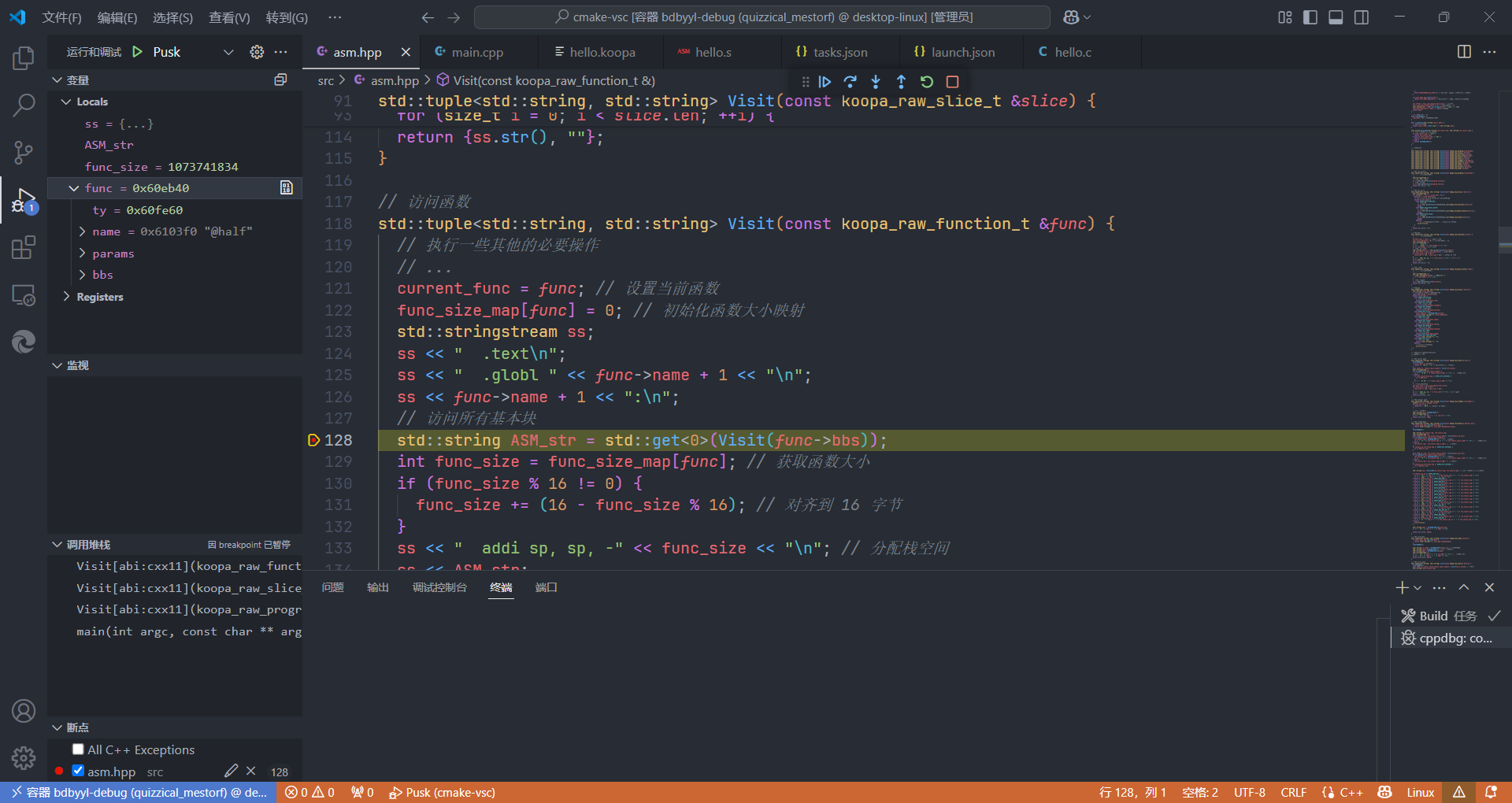
上一篇的延续😅,因为用clion调试好像出了一点奇怪的小问题暂时没有搞清楚😅并且也懒得了,于是就按照之前从谷歌搜出来的stackoverflow的帖子中的回答进行(vscode的)设置,并且还需要docker容器中有gdb,就可以断点调试了。
其实是先Google搜索了
how to debug in a make project,得到这个帖子Debugging an existing project with Makefile in Visual Studio Code - Stack Overflow
唯一的回答中就直接回复了上面的那个帖子
参考最高赞回答,主要是需要在项目的.vscode文件夹中,新建并设置tasks.json和launch.json
之前因为容器中没有gdb所以一直没有成功,但是不知道是因为没装gdb的原因😅
以下是最后我在编译器项目中使用的tasks.json和launch.json
launch.json
{
  // Use IntelliSense to learn about possible attributes.
  // Hover to view descriptions of existing attributes.
  // For more information, visit: https://go.microsoft.com/fwlink/?linkid=830387
  "version": "0.2.0",
  "configurations": [
    {
      "name": "Pusk", //I named it Pusk because i can
      "type": "cppdbg",
      "request": "launch",
      "program": "${workspaceFolder}/build/compiler", //path to your programs exe and exe name
      "args": ["-riscv", "hello.c", "-o", "hello.s"],
      "stopAtEntry": false,
      "cwd": "${workspaceFolder}",
      "environment": [],
      "externalConsole": false,
      "MIMode": "gdb",
      "setupCommands": [
        {
          "description": "Enable pretty-printing for gdb",
          "text": "-enable-pretty-printing",
          "ignoreFailures": true
        }
      ],
      "preLaunchTask": "Build"
    }
  ]
}
tasks.json
{
  // See https://go.microsoft.com/fwlink/?LinkId=733558
  // for the documentation about the tasks.json format
  "version": "2.0.0",
  "tasks": [
    {
      "label": "Build",
      "type": "shell",
      "command": "make", //its like writing in console make //btw you can others commands like clean make build etc
      "group": {
        "kind": "build",
        "isDefault": true
      },
      "problemMatcher": {
        "owner": "cpp",
        "fileLocation": ["relative", "${workspaceFolder}"],
        "pattern": {
          "regexp": "^(.*):(\\d+):(\\d+):\\s+(warning|error):\\s+(.*)$",
          "file": 1,
          "line": 2,
          "column": 3,
          "severity": 4,
          "message": 5
        }
      }
    }
  ]
}
需要说明一下的是,在launch.json中
"program"需要修改为编译出的可执行程序的位置"args"内添加运行程序需要的命令行参数"preLaunchTask"原本在帖子中没有提到,添加前在vscode中点击调试后并不能自动进行make,上网搜索发现需要添加设置这个参数,需要注意的是,此处设置的值应与tasks.json中的"label"一致,然后点击调试之后就可以自动进行make了
最后更新: 2025-05-05
创建日期: 2025-05-05
创建日期: 2025-05-05